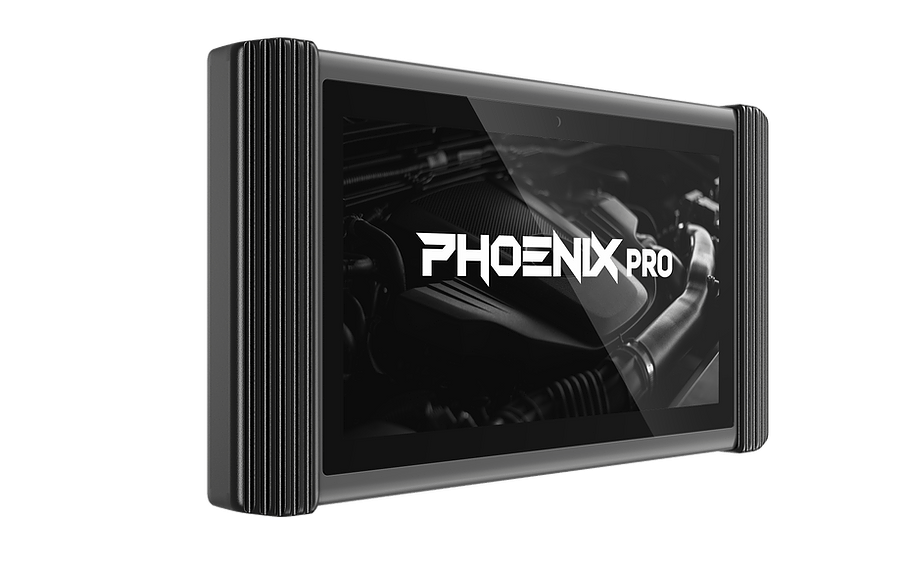
The Elite and XLink are professional heavy-hitters capable of rewriting ECU software, while the Plus and Lite 3 are powerhouse diagnostic tools focused on coding and maintenance.
Quick Comparison Table
| Feature | Phoenix Lite 3 | Phoenix Plus | Phoenix Elite | Phoenix XLink |
| Screen Size | 8″ LCD | 10.1″ LCD | 10.1″ LCD | 10.1″ LCD |
| RAM / ROM | 2GB / 64GB | 4GB / 64GB | 4GB / 64GB | 4GB / 128GB |
| Online Programming | No | No | Yes (BMW, MB, VAG, etc.) | Yes (Cloud-based) |
| Online Coding | Yes | Yes | Yes | Yes |
| Topology Mapping | Yes | Yes | Yes | Yes |
| CAN-FD / DoIP | CAN-FD only | CAN-FD only | CAN-FD only | Both Supported |
| VCI Connection | Bluetooth | Bluetooth | MDCI (Wireless) | Wired (High-Speed) |
| HD/Truck Support | No | No | No | Yes (Optional) |
1. Phoenix XLink (The Specialist)
The XLink is unique because it is a wired professional tool. By using a physical connection rather than Bluetooth, it ensures the stability required for high-risk tasks like ECU programming.
- Key Strength: High-speed, multi-thread scanning. It can scan up to 8 systems simultaneously.
- Unique Feature: Supports 9-36V, meaning you can add Heavy-Duty (Truck/Commercial) software later—a feature the others lack.
- Best For: Professional shops doing high-volume diagnostics and heavy-duty work.
2. Phoenix Elite (The All-Rounder Pro)
The Elite has long been the gold standard for independent shops. It offers the same core tablet specs as the Plus but includes the hardware/software bridge for Online Programming.
- Key Strength: Cloud-based programming for major brands (Mercedes, BMW, VW, Audi, Skoda, Seat).
- Hardware: Comes with the “MDCI” dongle which is more robust than the standard Bluetooth VCIs.
- Best For: Technicians who need to replace and program new modules.
3. Phoenix Plus (The Diagnostic Powerhouse)
The Phoenix Plus is essentially the Elite without the Programming capabilities. It’s a very fast, large-screen tool for people who want elite-level diagnostics without the €1,000+ price jump for programming.
- Key Strength: Full system diagnostics and 41+ maintenance functions. It supports Online Coding (personalizing car settings) but not Programming (flashing new software).
- Best For: Busy general repair shops that don’t often do module replacements.
4. Phoenix Lite 3 (The Mobile Tech’s Choice)
The Lite 3 is the 2024/2025 upgrade to the popular Lite 2. It’s more compact (8″) and has slightly less RAM (2GB), but it punches way above its weight by including Topology Mapping—a feature usually reserved for the €1,000+ models.
- Key Strength: Portability and value. It still supports CAN-FD for newer GM/Chrysler vehicles.
- Limitations: Smaller screen and half the RAM of the Plus/Elite, so it may feel slightly slower when running multiple apps.
- Best For: Mobile mechanics, enthusiasts, or as a secondary “quick-check” tool in a big shop.
Summary Recommendation:
- If you need to replace and program ECUs: Get the Phoenix Elite.
- If you want maximum speed and Heavy-Duty potential: Get the XLink.
- If you want a big screen but don’t care about programming: Get the Phoenix Plus.
- If you want the best bang-for-buck in a portable size: Get the Lite 3.